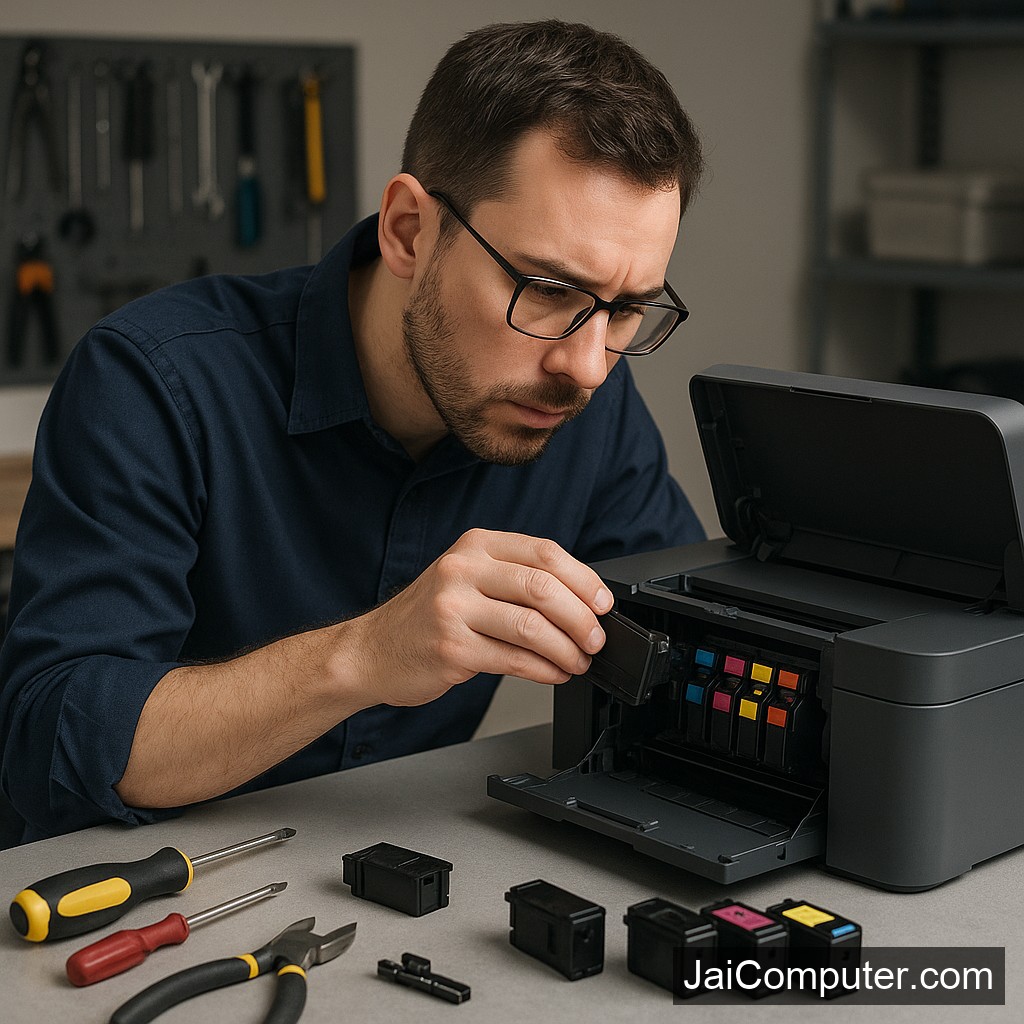
प्रिंटर इंक एरर: कार्ट्रिज जाम को ठीक करने के आसान तरीके
क्या आपके प्रिंटर में इंक कार्ट्रिज जाम की समस्या आ रही है? जय कंप्यूटर्स ओसियन के अनुभवी तकनीशियन आपके लिए लाए हैं कुछ सरल और प्रभावी उपाय। इस गाइड में हम बताएंगे कि कैसे आप घर पर ही इस समस्या का समाधान कर सकते हैं।
लक्षण: कैसे पहचानें कार्ट्रिज जाम
सामान्य संकेत
जब प्रिंटर में कार्ट्रिज जाम होता है, तो निम्नलिखित लक्षण दिखाई दे सकते हैं:
- प्रिंटर का अचानक ठप हो जाना
- प्रिंटर की चेतावनी लाइट का जलना
- कागज के साथ कार्ट्रिज का फंस जाना
- प्रिंट क्वालिटी का अचानक खराब हो जाना
संभावित कारण: समस्या क्यों होती है
कार्ट्रिज जाम के कई कारण हो सकते हैं:
- कार्ट्रिज का गलत तरीके से इंस्टॉल होना
- प्रिंटर में धूल या मलबे का जमाव
- प्रिंटर हेड का सही से मूव न करना
- पुराना या कम गुणवत्ता वाला कार्ट्रिज
सुरक्षित जांच: समस्या का निदान
घरेलू समाधान
- प्रिंटर को बंद करें और पावर केबल को अनप्लग करें।
- प्रिंटर के ढक्कन को खोलकर कार्ट्रिज की स्थिति जांचें।
- ध्यान से कार्ट्रिज को बाहर निकालें।
- कार्ट्रिज स्लॉट में कोई अवरोध हो तो उसे साफ करें।
- कार्ट्रिज को सही दिशा में पुनः स्थापित करें।
- प्रिंटर चालू कर चेक करें कि समस्या हल हुई या नहीं।
क्या नहीं करें: सुरक्षा निर्देश
- प्रिंटर चालू रखते हुए कार्ट्रिज न निकालें।
- जबरदस्ती कार्ट्रिज को खींचने की कोशिश न करें।
- अंदरूनी पार्ट्स को छूने से बचें।
कब लें प्रोफेशनल मदद
यदि उपरोक्त उपायों से समस्या हल नहीं होती, या यदि समस्या बार-बार आ रही है, तो यह समय है प्रोफेशनल मदद लेने का। हमारे अनुभवी तकनीशियन आपकी मदद के लिए हमेशा तैयार हैं।
रोकथाम: भविष्य में समस्या से बचाव
- प्रिंटर को नियमित रूप से साफ करें।
- उच्च गुणवत्ता वाले कार्ट्रिज का उपयोग करें।
- प्रिंटर के मैन्युअल निर्देशों का पालन करें।
अक्सर पूछे जाने वाले प्रश्न
- प्रश्न: क्या सभी प्रिंटर में यह समस्या हो सकती है?
उत्तर: हां, अधिकांश प्रिंटर मॉडल्स में यह समस्या आ सकती है। - प्रश्न: क्या मैं यह समस्या स्वयं हल कर सकता हूं?
उत्तर: हां, लेकिन अगर समस्या गंभीर हो, तो विशेषज्ञ से संपर्क करें। - प्रश्न: क्या कार्ट्रिज जाम से प्रिंटर को नुकसान हो सकता है?
उत्तर: हां, अगर समस्या को समय पर न सुलझाया जाए।
जय कंप्यूटर्स ओसियन आपके प्रिंटर से जुड़ी समस्याओं के समाधान के लिए हमेशा तैयार है। अधिक जानकारी के लिए हमारी वेबसाइट पर विजिट करें या हमारे स्टोर पर आएं।
Understanding Printer Ink Cartridge Jam
Facing a printer ink cartridge jam can be frustrating, but with the right steps, it’s often easy to fix. Jai Computers Osian is here to guide you through resolving this issue safely and effectively.
Common Symptoms of Cartridge Jam
Recognizing the Signs
If your printer is experiencing an ink cartridge jam, it might show the following symptoms:
- The printer suddenly stops working.
- The printer’s warning light illuminates.
- The cartridge is visibly stuck or misaligned.
- Error messages display on the printer’s control panel or computer screen.
Identifying Likely Causes
Common Reasons for Jams
Understanding the cause can help prevent future jams. Here are some typical reasons:
- Improper cartridge installation.
- Obstructions like paper debris or dust in the cartridge path.
- Use of incompatible or low-quality cartridges.
Safe Checks to Perform
Step-by-Step Diagnostic
- Power Down: Turn off the printer and unplug it to ensure safety.
- Access the Cartridge: Open the printer cover gently to access the cartridge area.
- Remove the Cartridge: Carefully take out the cartridge, avoiding any forceful movements.
- Inspect the Slot: Look for any visible obstructions or misalignments in the cartridge slot.
- Clean the Area: Use a soft, lint-free cloth to clean any dust or debris.
- Reinstall Carefully: Place the cartridge back correctly, ensuring it clicks into place.
What Not to Do
Avoid These Mistakes
To prevent further damage, avoid these common pitfalls:
- Never attempt to remove cartridges while the printer is powered on.
- Avoid using excessive force when handling cartridges.
- Do not use sharp objects to clear jams.
When to Seek Professional Help
Recognizing Serious Issues
If the problem persists after following the above steps, it might be time to consult a professional. Issues such as persistent error messages or visible physical damage to the printer require expert intervention. Visit Jai Computers Osian for reliable service and advice.
Preventing Future Cartridge Jams
Maintenance Tips
- Regularly clean the printer and cartridge area.
- Use high-quality or manufacturer-recommended cartridges.
- Ensure proper installation each time you replace a cartridge.
- Keep your printer’s software updated.
Frequently Asked Questions
- Question: Can cartridge jams happen with any printer model?
Answer: Yes, most printer models can experience cartridge jams, though frequency may vary. - Question: Can I resolve a cartridge jam on my own?
Answer: Often, yes. However, complex issues should be handled by professionals. - Question: Does a cartridge jam pose a risk to my printer?
Answer: Yes, if left unaddressed, it can lead to more significant damage.
For more personalized assistance, visit Jai Computers Osian. Our experts are ready to help you with any printer-related concerns.