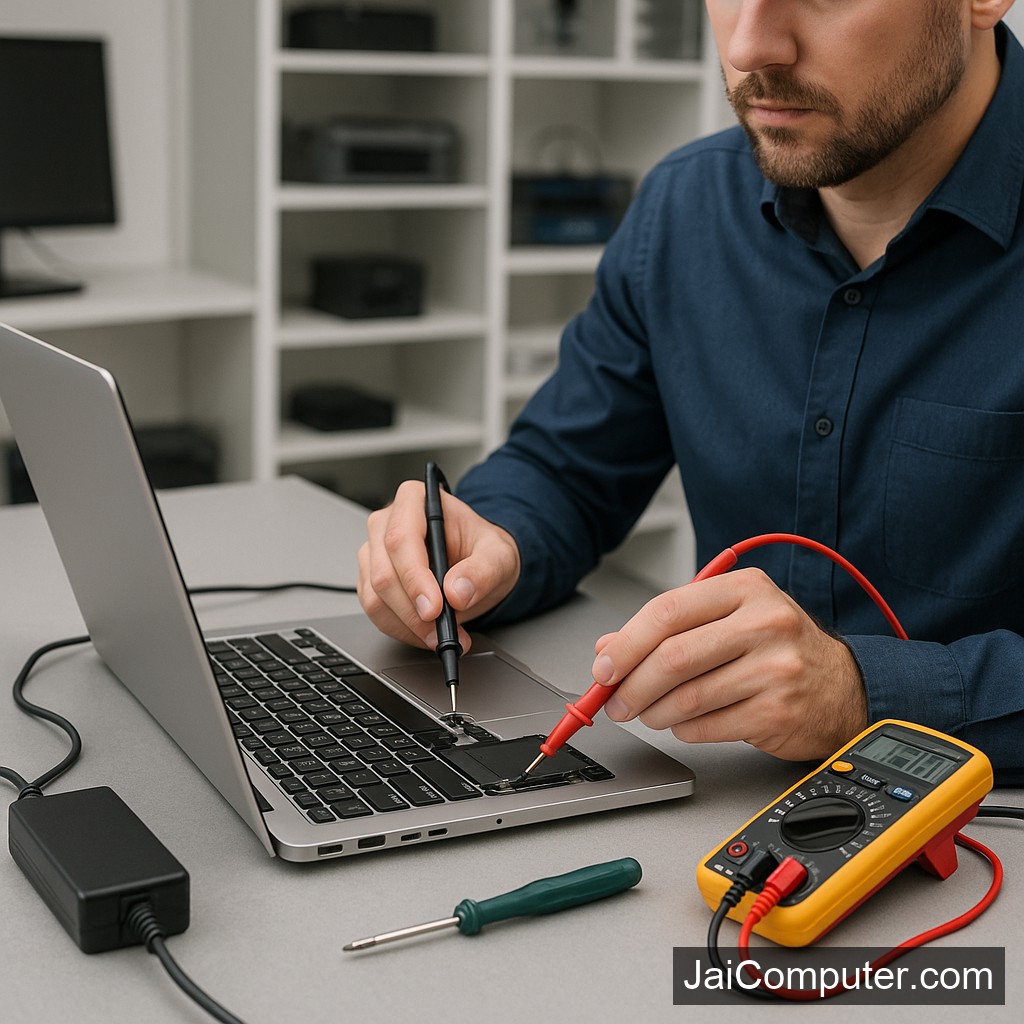
लैपटॉप बैटरी चार्ज नहीं हो रही? जानें कैसे करें समाधान
जब आपका लैपटॉप चार्ज नहीं होता, तो यह चिंता का विषय हो सकता है। ‘जय कंप्यूटर्स ओसियान’ में हम आपके लिए कुछ आसान और सुरक्षित उपाय लाए हैं।
लक्षण जो आपको जानने चाहिए
- बैटरी का प्रतिशत कम दिखना और चार्जर लगाने पर भी नहीं बढ़ना।
- चार्जर कनेक्ट करने पर चार्जिंग लाइट का न जलना।
- लैपटॉप का अचानक बंद हो जाना।
संभावित कारण
- चार्जर या केबल में खराबी।
- चार्जिंग पोर्ट में धूल या गंदगी।
- बैटरी का पुराना या खराब हो जाना।
घर पर सुरक्षित जाँच के तरीके
चार्जर और सॉकेट की जाँच
- चार्जर को अलग-अलग सॉकेट में लगाकर देखें।
- चार्जर केबल को ठीक से जांचें, कहीं टूट-फूट तो नहीं।
बैटरी और पोर्ट की जाँच
- लैपटॉप को बंद करें और बैटरी को निकालकर पुनः लगाएं।
- चार्जिंग पोर्ट को हल्के ब्रश से साफ करें।
क्या न करें
- चार्जर के तारों को खींचे या मोड़े नहीं।
- लैपटॉप को अत्यधिक गर्म या ठंडे स्थानों पर न रखें।
- लैपटॉप को पानी या अन्य तरल पदार्थों के संपर्क में न आने दें।
कब लेना चाहिए पेशेवर मदद
अगर उपरोक्त उपायों से समस्या हल नहीं होती, तो यह समय है कि आप पेशेवर मदद लें। ‘जय कंप्यूटर्स ओसियान’ में हमारे विशेषज्ञ आपकी सहायता के लिए तत्पर हैं।
बैटरी समस्या से बचाव के उपाय
- लैपटॉप को नियमित रूप से चार्ज करें।
- बैटरी को अत्यधिक डिस्चार्ज न होने दें।
- समय-समय पर चार्जिंग पोर्ट की सफाई करें।
सामान्य प्रश्न
प्रश्न: क्या मेरा चार्जर खराब हो सकता है?
हाँ, चार्जर की केबल या एडेप्टर में खराबी हो सकती है।
प्रश्न: चार्जिंग पोर्ट को कैसे साफ करें?
एक मुलायम ब्रश का उपयोग करके धूल और गंदगी को साफ करें।
प्रश्न: बैटरी को कब बदलना चाहिए?
यदि बैटरी जल्दी खत्म हो जाती है, तो इसे बदलने का समय आ गया है।
अधिक जानकारी और सहायता के लिए, ‘जय कंप्यूटर्स ओसियान’ में हमसे संपर्क करें। हम आपकी सेवा में तत्पर हैं।
Understanding Laptop Battery Charging Problems
Experiencing issues with your laptop battery not charging can be frustrating. At Jai Computers Osian, we understand the importance of a reliable device. Let’s explore some practical solutions to help you address this common issue effectively.
Identifying Symptoms of a Charging Problem
Recognizing the signs that your laptop battery isn’t charging is the first step. You might observe:
- The battery percentage remains low despite being plugged in.
- The charging LED indicator remains off when the charger is connected.
- The laptop powers off unexpectedly.
Common Causes of Charging Issues
Several factors can contribute to a laptop battery not charging, including:
- Faulty power adapter or cable.
- Loose or damaged charging port.
- Outdated or corrupt battery drivers.
- Overheating of the battery or laptop.
Safe Diagnostic Checks You Can Perform
Inspecting the Power Source
Begin by ensuring that your power outlet is functional:
- Try plugging another device into the same outlet to verify it works.
- Test the charger on a different outlet.
Checking the Charger and Cable
Inspect your charger and cable for any visible damage:
- Look for frayed wires or bent connectors.
- If possible, test the charger with another compatible laptop.
Examining the Charging Port
The charging port can accumulate dust or debris:
- Use a soft brush to gently clean the port.
- Avoid using sharp objects that might damage the port.
Battery and Driver Assessment
Consider the following steps:
- Remove and reinsert the battery if it’s removable.
- Check for battery driver updates through your operating system’s settings.
What You Should Avoid Doing
While troubleshooting, keep these precautions in mind:
- Do not pull the charger cable forcefully to disconnect it.
- Avoid exposing your laptop to extreme temperatures.
- Keep your laptop away from liquids to prevent damage.
When to Seek Professional Help
If the problem persists despite your efforts, it’s time to consult a professional. Issues such as internal hardware damage or battery replacement require expert attention. Visit Jai Computers Osian for reliable service and expert advice.
Preventing Future Charging Issues
- Use surge protectors to safeguard against power fluctuations.
- Regularly clean the charging port and adapter.
- Keep your laptop software updated to prevent driver issues.
Frequently Asked Questions
Could my charger be faulty?
Yes, a faulty charger is a common cause of charging issues. Testing it with another device can help confirm this.
How do I clean the charging port safely?
Use a soft, dry brush to remove dust and debris gently. Avoid using liquids or sharp objects.
When should I consider replacing the battery?
If your battery drains quickly despite being fully charged, it may be time for a replacement. Consult a technician for an accurate diagnosis.
For further assistance or to address more complex issues, visit us at Jai Computers Osian. Our experienced team is here to help you keep your laptop running smoothly.